
Easy Counter: a WordPress visitor counter that counts through caching
Count every visit, even when a cache or CDN serves the page. Easy Counter Pro is a lightweight WordPress visitor counter that sends a tiny JavaScript ping instead of relying on PHP, so your site stays fast and no IP addresses are stored. Or get Pro, a one time payment of only £5 gives you a licence for life.
Easy Counter Pro
£5.00 (Lifetime Licence)
- Everything in the free version, plus
- Unlimited saved counter designs
- Your own logo on the counter
- Pick any date range to review
- CSV, JSON, HTML and print reports
- Optional charts in printed reports
- One £5 payment, licence for life
Easy Counter
FREE
- Counts correctly behind full-page caching
- Page views and unique visitors
- No IP addresses stored
- Pages, referrers, devices, locations
- Two saved counter designs
- Weekly statistics email
You switch on full-page caching and your site flies. Then you look at your visitor numbers and wonder where everyone went, because a cached page never reaches the WordPress code that was meant to count it. Easy Counter Pro is a WordPress visitor counter built around that exact problem, and it counts every visit whether the page came from your server, a cache or a CDN.

Counting that survives caching
A cache works by handing visitors a saved copy of a page, which is why the page loads so quickly. A CDN, or content delivery network, does the same job from servers spread around the world. Either way, counting done in PHP on your own server can miss the visit entirely.
Easy Counter Pro counts in the visitor’s browser instead. When the page loads, a small JavaScript ping goes to your site’s REST endpoint (WordPress’s built-in way of receiving requests) and that is what records the visit. You can cache the page as hard as you like; the ping still arrives. It is light on your server too, because all it sends is a ping.
What you see, and what you never store
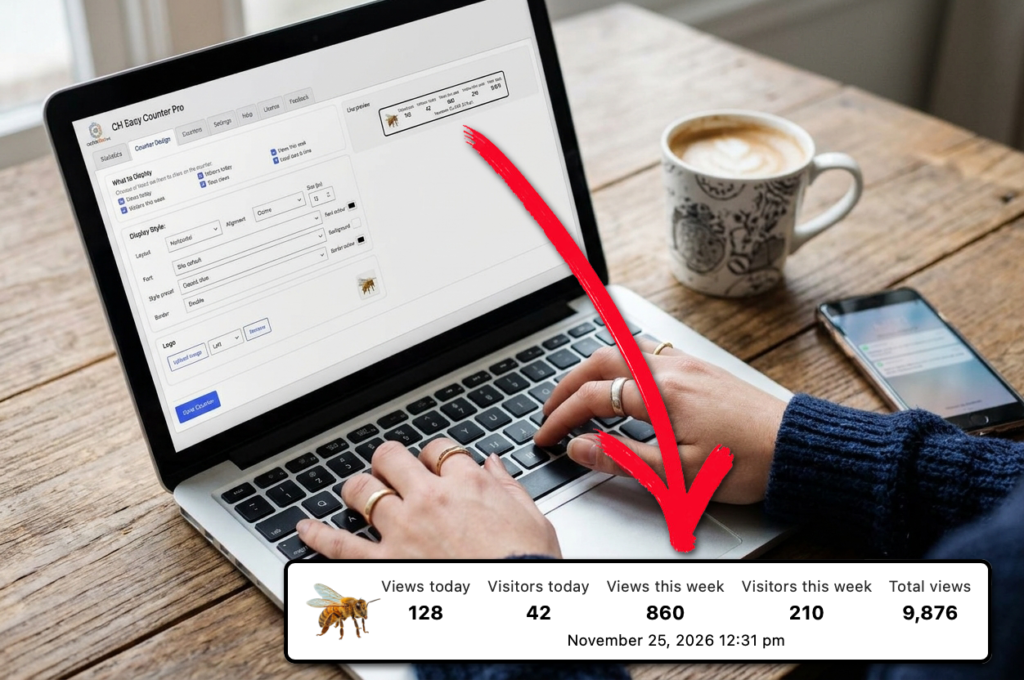
Say you run a small shop behind a CDN. You install the plugin, enter your licence key once on the License tab, open Counter Design, choose what to show and click Save Counter. Then you add a simple shortcode to a page, or use the block or widget, and the counter is live.
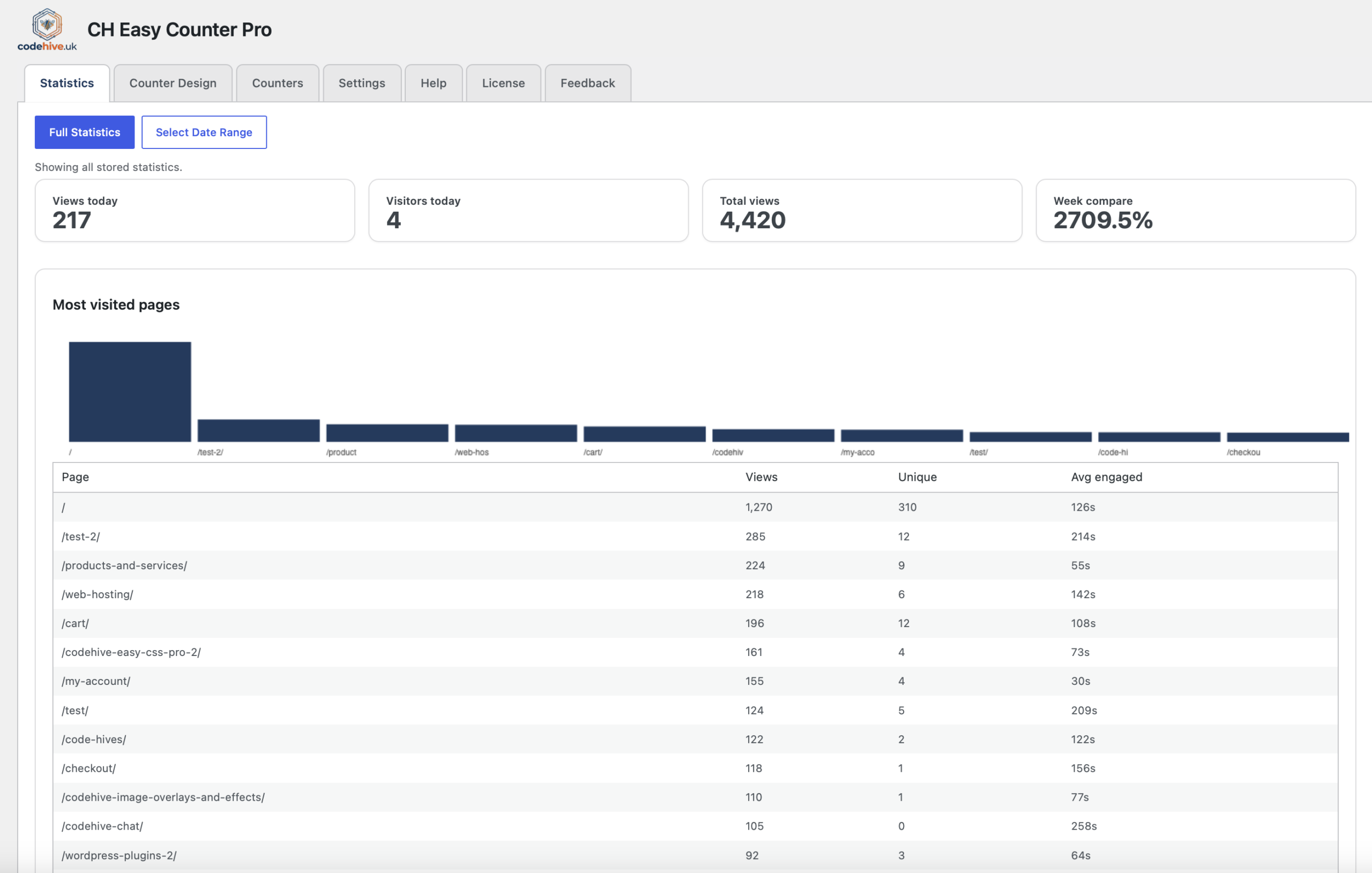
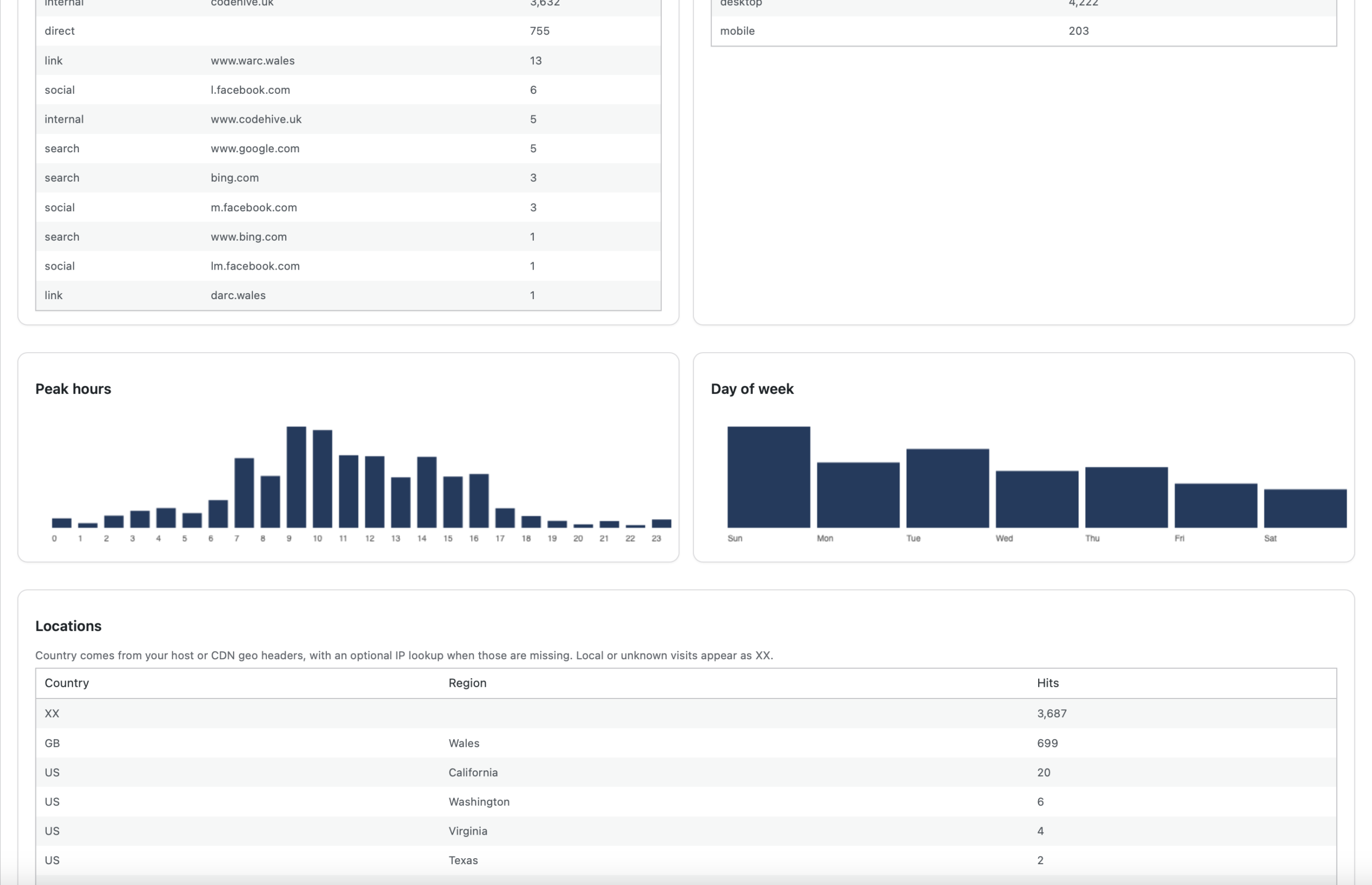
The next morning, the Statistics tab shows views today, visitors today, your all-time total and how this week compares with the last. Below that sit your most visited pages with views, unique visitors and average engaged time, where visitors came from (search, social, direct), what devices they used, the countries they visited from, and charts of your busiest hours and days of the week.
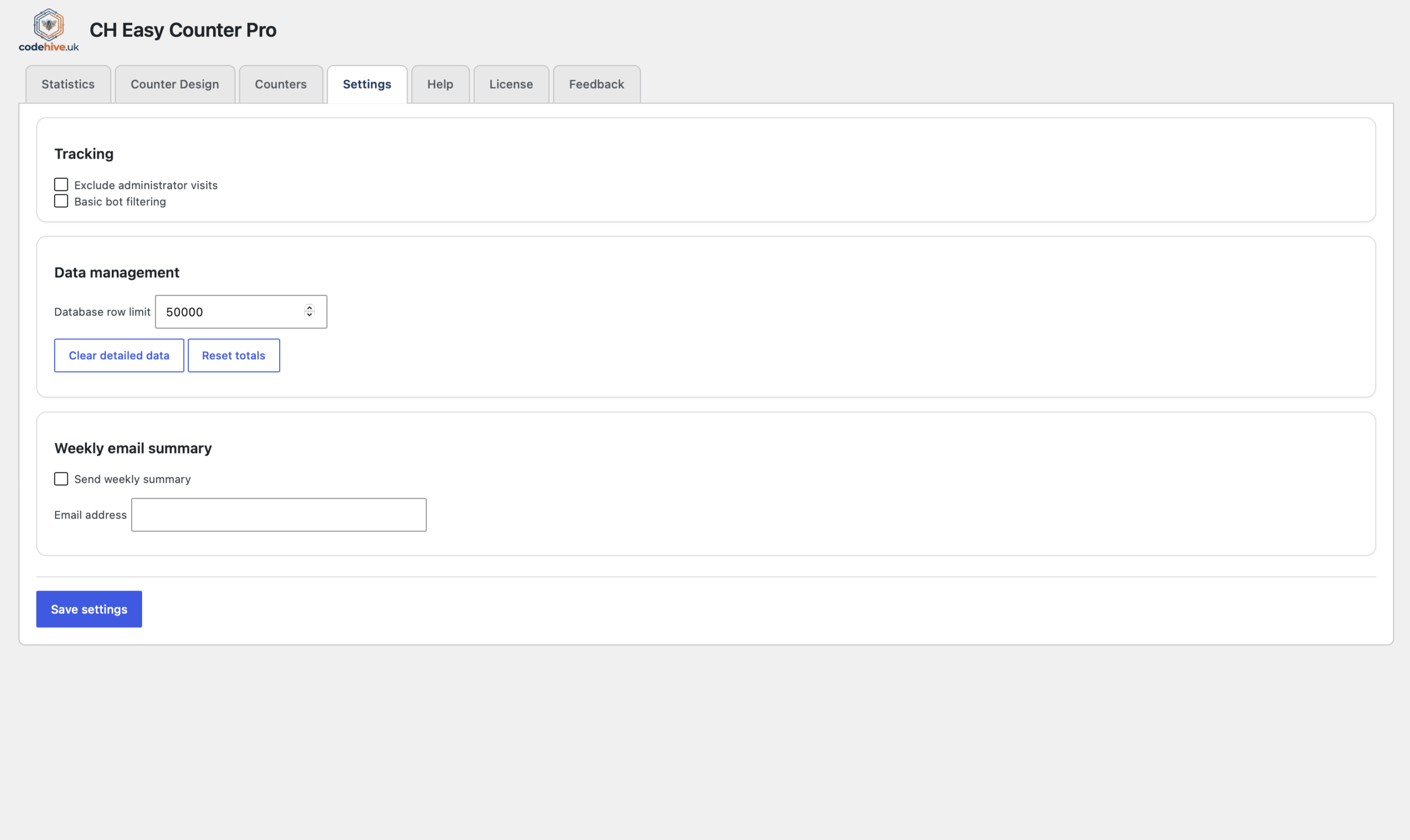
None of this needs a stored IP address. Easy Counter Pro keeps only the country or region, the type of referrer and the class of device, and the country comes from your CDN’s headers or a one-time lookup, after which the IP itself is not saved. That keeps the data you hold to a minimum.
A counter that looks like it belongs
You choose which numbers appear: views today, visitors today, views and visitors this week, total views, even the visitor’s own local date and time. Set the layout, alignment, size, font, colours and border, and add your own logo at the top, left, right or bottom. Save the result as a named design, and save as many as you need: a quiet one for the footer, a bolder one for the home page. Each gets its own shortcode, and you can override what it shows or where it sits right inside the shortcode.
Reports you can hand to someone else
Pick any date range, or take every day on record, and export it as a CSV file for a spreadsheet, a JSON archive as a backup, an HTML file you can keep or send, or a printable report that doubles as a PDF. Tick the charts option and the report includes bar charts of your peak hours and weekdays. If someone asks how the site did last quarter, you have the answer in a minute.
Who it is for
It suits site owners who want honest numbers without a heavy analytics setup: a small business with a cached shop, a web designer who wants to show a client how a site is doing, anyone who cares that visitor data stays minimal. It needs WordPress 6.0 or later and PHP 7.4 or later.
The free version, and what Pro adds
The free version, CH Easy Counter, is a good counter in its own right. It uses the same lightweight ping, stores no IP addresses, and gives you the statistics dashboard, a weekly statistics email and the shortcode, block and widget. You can save up to two counter designs.
Pro adds what you reach for once the site matters more: unlimited saved designs, your own logo on the counter, a choice of date range, and every export format along with the charts. If you only want a counter and a look at your totals, the free version will do. If you need to show someone the numbers, Pro earns its place.
Price and licence
Easy Counter Pro costs £5, once, for a licence that lasts for life. Many plugins charge an annual subscription; this one does not. Updates are included and come from codehive.uk, and you get full UK-based support from CodeHive at support@codehive.uk. After you buy, your licence key arrives by email. You enter it once and Pro unlocks; tracking and counters switch on when the key is active.
Count every visit
If your site is fast because of caching, your counter should keep up with it. Easy Counter Pro does, quietly and without storing anyone’s IP address, for a single payment of £5.
System Requirements
Version 1.2.18 · Updated 25 Nov 2026
 WordPress
- WordPress: Version 6.0 or higher (tested up to 7.0)
- PHP: Version 7.4 or higher (PHP 8.3 recommended)
- Database: MySQL 8.0+ or MariaDB 10.6+
- Theme Compatibility: Compatible with all standard block and classic themes
- Browser: Latest version of Chrome, Firefox, Safari or Edge
Product Images