

Button Box Pro: The WordPress Button Designer That Builds Once, Places Everywhere
Design an eye-catching call-to-action button once, place it anywhere on your site, and change every copy from one spot. Button Box Pro is a WordPress button designer that turns ordinary links into buttons with gradients, hover effects, icons and pictures, and it can even drop a WooCommerce product straight into the basket.
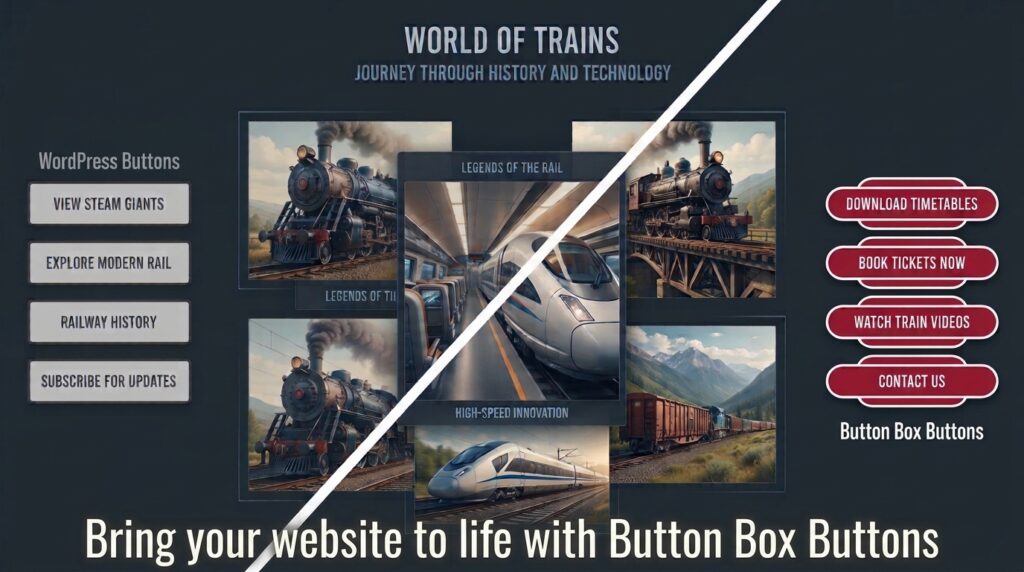
Button Box Pro
£5.00 (Lifetime Licence)
- Everything in the free version, plus:
- Double, image, dropdown and social buttons
- Ten hover effects, plus a gentle slow pulse
- Icons beside the label, left or right
- Rainbow borders that follow every corner
- WooCommerce Add to cart and Checkout buttons
- Your free buttons come across when you upgrade
- Lifetime licence for £5, updates and UK support
Button Box
FREE
- Design a button once, use it anywhere
- Edit once and every copy updates
- Gradients, borders, shadows and Google Fonts
- Block, shortcode, widget or theme template
- Change words and colours on one page only
- Styles load only where a button appears
A plain text link asks a visitor to do something and hopes they notice. A good button makes the next step obvious. The trouble with most WordPress buttons is that you style them again on every page, so a colour change for your new branding means hunting down every “Book now” and “Join us” on the site. Button Box Pro, a WordPress button designer from Codehive, lets you design each button once and use it wherever you like.
Build It Once, Show It Everywhere
Every button you design is saved under its own name: the words visitors read, where it links to, and exactly how it looks. You then place that saved button in a post or page with the Button Box Pro block, in a widget area, with a shortcode, or straight into a theme template. When you change the saved button, every place it appears changes with it, on every page at once.
Sometimes one page needs something a little different. In the block editor, the On this page settings let you change the wording, links, colours, size or picture for that page alone, and the saved button stays exactly as it was everywhere else.
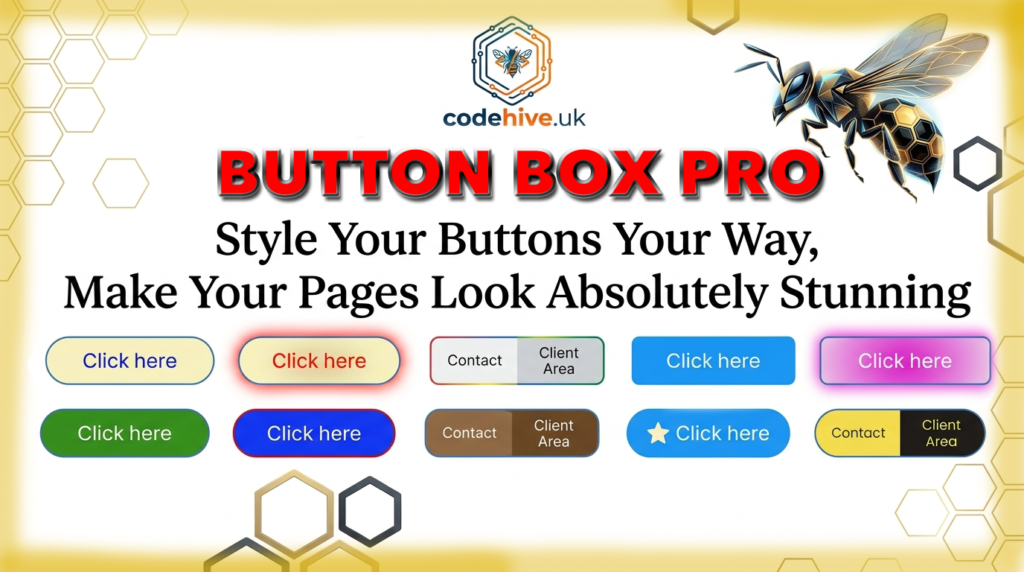
Make Every Button Worth Clicking
The designer gives you the controls a web designer would reach for. Choose a solid colour or a linear or radial gradient, with separate colours for when the pointer moves over it. Set the border width, style and colour, round each corner on its own, add a text shadow or a box shadow, and pick a Google Font that loads only on the pages where that button appears. A live preview shows the result as you work, drawn exactly as it will look on your site.
Pro adds the touches that make people look twice. There are ten hover effects, such as Grow, Pulse, Wiggle, Lift and Flip, plus a slow pulse that breathes gently all the time. Icons can sit to the left or right of the label, and a rainbow border follows the shape of every rounded corner.
More Than One Kind of Button
Not every call to action is a single word on a coloured shape. A double button puts two choices side by side, each with its own words, link and colours. An image button uses a picture from your media library as the button itself. A dropdown button opens a short list of links when clicked, and social buttons for Facebook, X, LinkedIn, WhatsApp, Pinterest, YouTube and email come ready to use, with the network’s icon if you want it.
Sell Straight from the Button
If your site runs WooCommerce, the online shop plugin for WordPress, any button can sell a product. Add to cart puts the product in the basket and keeps your visitor on the same page, with an optional “Added to Cart” message or a short animation over an image button. Checkout adds the product and opens the cart. On a double button, each side can sell something different.
How It Works on a Real Page
Picture a club website with a “Join the club” button on the home page, the events page and the bottom of every news post. With Button Box Pro you design that button once, then place it on each page. When membership opens for the new year, you change the words once and every copy follows. For the open day page alone, you switch it to a bright orange with a gentle pulse, without touching the others.
Who It Is For
Button Box Pro suits small business owners, club secretaries and web designers who look after their own WordPress sites and want buttons that look professional without writing code. If you do know a little CSS, the code that controls how a site looks, each button has its own box for extra styling that affects that button only.
Free or Pro: What You Get
The free Codehive Button Box is a capable button designer in its own right. It saves each design once, shows it through a block, shortcode, widget or template, updates every copy when you edit it, offers gradients, borders, shadows and Google Fonts, and loads its styles only on pages that have a button.
Pro keeps all of that and adds double, image, dropdown and social buttons, the hover effects and slow pulse, icons, the rainbow border, a different picture for each page, and WooCommerce buttons. Upgrading is painless: when you activate Pro, the buttons you made in the free version come across with their names and designs, and the buttons already on your pages carry on showing after you switch the free plugin off.
£5, Once, for Life
Button Box Pro costs £5.00 with a lifetime licence: a one-off payment with no renewals, and updates included. Many plugins charge an annual subscription; this one does not. Updates come straight from Codehive, and the plugin checks once a month and emails your site administrator when a new version is ready. One licence covers one site, and if you move to a new site, Codehive can reset the licence so you can use the same key there. Full UK-based support is included whenever you need help.
If your buttons have been an afterthought, start here. Design them once, place them anywhere, and let every page ask for the click in a way people notice.
System Requirements
Version 1.0.33 · Updated 24 Nov 2026
 WordPress
- WordPress: Version 6.6 or higher (tested up to 7.1)
- PHP: Version 8.1 or higher (PHP 8.3 recommended)
- Database: MySQL 8.0+ or MariaDB 10.6+
- Theme Compatibility: Compatible with all standard block and classic themes
- Browser: Latest version of Chrome, Firefox, Safari or Edge
Product Images


Frequently Bought Together
Easy CSS Pro

